The service supports OpenAI (ChatGPT), Google (Gemini), Anthropic (Claude), XAi (Grok), DeepSeek, and Perplexity.
To use the service, you must visit the provider's website and create an API key, which you will then enter into the MB STUDIO configuration.
OPENAI CHATGPT API KEY GEMINI API KEY
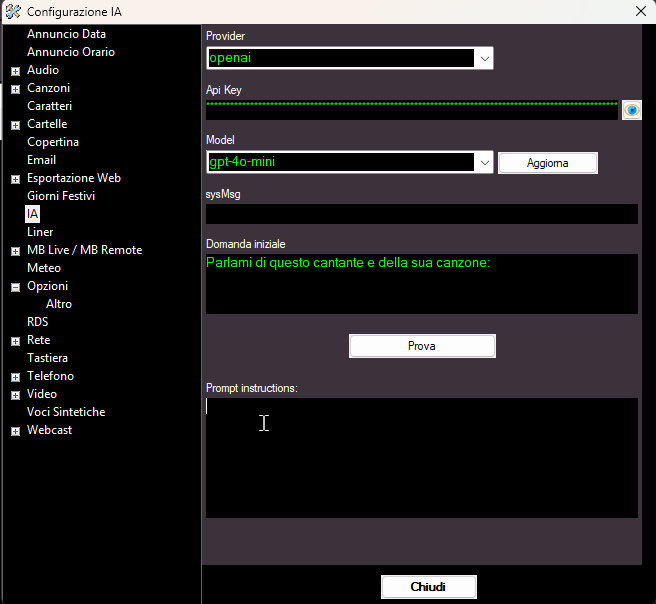
Model: You must select the AI model that will process the request (for ChatGPT, I recommend using gpt-4o-mini, while for Gemini, I recommend using gemini-flash-lite-latest).
Web Search: If enabled, the AI's responses are updated in real-time via web searches. Useful, for example, for searching for news, weather, etc... Some models may decline the request or apply additional charges when this option is enabled.
sysMsg: The sysMsg defines the assistant's general behavior, tone, and role. Example: "You are a polite tutor who explains concepts in a clear and simple way." Think of it as the high-level persona or the set of instructions that the model follows throughout the conversation.
Initial question: This is the initial question that MB STUDIO poses to the AI.
Prompt instructions: If you are using AI PROMPT: AI-GENERATED ADS you can enter any instructions here that should apply to all prompts.