
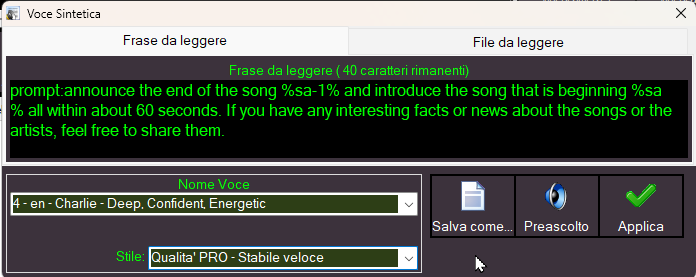
The synthetic voice feature in MB STUDIO PRO now supports the prompt: command.
With prompt:, you can send instructions to the AI to generate text, which will then be rendered using the synthetic voice.
To use this feature, the ASK THE AI service must be active
In your commands, you can use MB STUDIO wildcards: https://www.mbradio.it/en/support/help/119-wildcards
In the "phrase to read" box, type "prompt:" followed by an explanation of what you want the AI to do or what you would like it to achieve.
Example:
prompt:announce the end of the song %sa-1% and introduce the song that is beginning %sa% all within about 60 seconds. If you have any interesting facts or news about the songs or the artists, feel free to share them.
For a more personalized result, you can also configure the "Prompt instructions:" section, found under Configuration / AI. Here, you can enter instructions that will apply to all announcements, so you don't have to repeat them for every individual prompt.
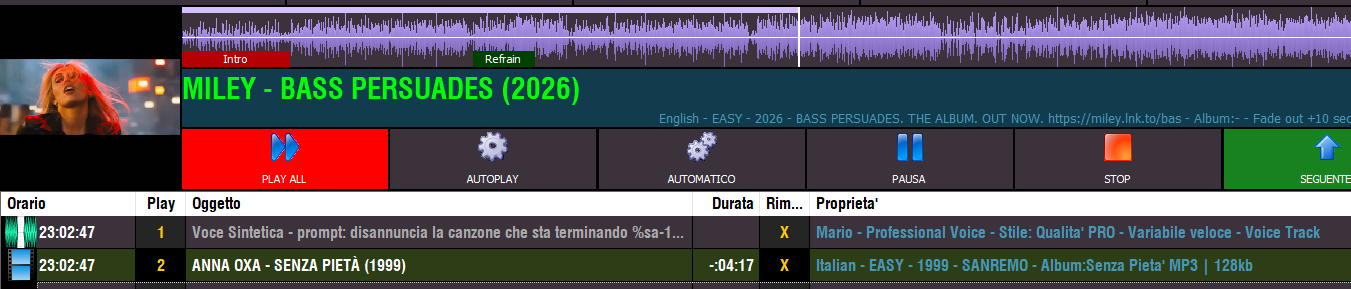
 MB STUDIO is a radio automation software that will allow you to create and manage your own radio station playing all your media files: jingles, commercials, news, songs, Files from internet, live streams, live inputs from your sound card, satellite feeds. Automatically download news and shows from Internet. Multiple overlapping files and/or live sources (mic, line, aux). Voice tracking. Integrated CD Ripper. Integrated jukebox to play songs requested via sms / email messages. Display current playlist on your web site.
 MB RECASTER features an audio recorder with scheduler, a webcast module to send streams to any Shoutcast, Icecast or Windows Media server, AutoDJ function to play randomly your own audio files from up to 4 folders, a stream receiver allowing to record or recast to your server (transcoder), an audio converter from/to any format.
 MB LIVE is a software that stream a live audio\video feed from any place to an MB STUDIO PRO automation in the main radio studio. MB LIVE make use of a TCPIP connection. This program is free for MB STUDIO PRO users